

Our users reported over 96% customer satisfaction for the last 10 years. Schedule a personal tour of our software to see how we can improve your business’s productivity.
Table of Contents
Share Article
The best construction time tracking software stops your crews from wasting hours on paper timesheets and keeps everyone honest about when they’re actually working.
Let’s be real.
Chasing down timesheets every Friday is a challenge. Half your foremen forget to turn them in. Workers can’t remember if they worked 8 or 9 hours on Tuesday. And you’re stuck trying to piece it all together before payroll is due.
Manual time tracking is costing you money you don’t even see. When workers clock in from their truck before they get to the site, that’s money out of your pocket. When someone rounds 7.5 hours up to 8, it adds up fast. And when the labor board shows up for an audit, those crumpled timesheets aren’t going to cut it.
You need something that actually works on a construction site. You need a digital tool that automates and organizes. And whatever system you pick has to handle all construction complexities without slowing everyone down.
Quick Comparison of the Best Construction Time Tracking Software:
- WorkMax® TIME: WorkMax is a construction time tracking platform built to eliminate time theft and simplify payroll.
- Workyard: Workyard is a GPS-first time tracking platform that automates clock-ins and crew location monitoring without requiring workers to manage the app themselves.
- ClockShark: ClockShark is a field-friendly time tracking app designed for foreman-led crews who need flexible clock-in options and simple day-to-day usability.
- QuickBooks Time: QuickBooks Time is a straightforward time tracking tool built for small to mid-size contractors who want clean QuickBooks integration without a steep learning curve.
- ExakTime: ExakTime is a construction-only time tracking platform with two-plus decades in the industry, built for large operations with multilingual crews and equipment tracking demands.
Understanding Construction Time Tracking Software
Time tracking for construction needs features that regular workforce apps don’t have. Your crews work at multiple jobsites in one day and need to track time against specific projects and cost codes. The software has to work when the signal drops out and verify that workers are actually on site.
Essential Features
GPS Verification and Geofencing
GPS tracking captures the exact spot where workers clock in and out.
Geofencing verifies that workers are within the designated range of your jobsite when they clock in and out. This helps confirm workers are at the right location without blocking legitimate clock-ins.
Facial recognition prevents buddy punching by requiring workers to take a selfie that matches their profile photo. This stops employees from clocking in for coworkers who aren’t actually on site.
Mobile and Offline Functionality
Your field workers need apps that work on smartphones and tablets with simple interfaces. Construction sites often have terrible cell coverage, so the app must work offline.
Workers should be able to clock in, switch between tasks and add notes without internet, then sync their time data after the connection returns.
Software Integrations
Your time tracking software should connect directly to your payroll system to eliminate double data entry.
The best connections work with construction-specific accounting software like FOUNDATION®, Sage, Jonas, QuickBooks® and Acumatica®, ensuring your time data flows into the right projects with proper cost codes.
Compliance and Reporting
Automated compliance features track meal breaks, rest periods and overtime hours while flagging potential violations.
Labor cost reports break down spending by project and crew. Productivity reports compare actual hours against estimates. Compliance reports generate certified payroll documentation for government projects.
Our Evaluation Methodology
Now that you understand what makes construction time tracking software effective, let’s look at the leading solutions that deliver these critical features.
We tested each platform against what actually matters on a jobsite:
- GPS accuracy and geofencing
- Mobile apps that work offline
- Connections to payroll and accounting software
- Compliance features
- Ease of use
- Customer support
- Total cost
Top Construction Time Tracking Software Solutions

#1 WorkMax
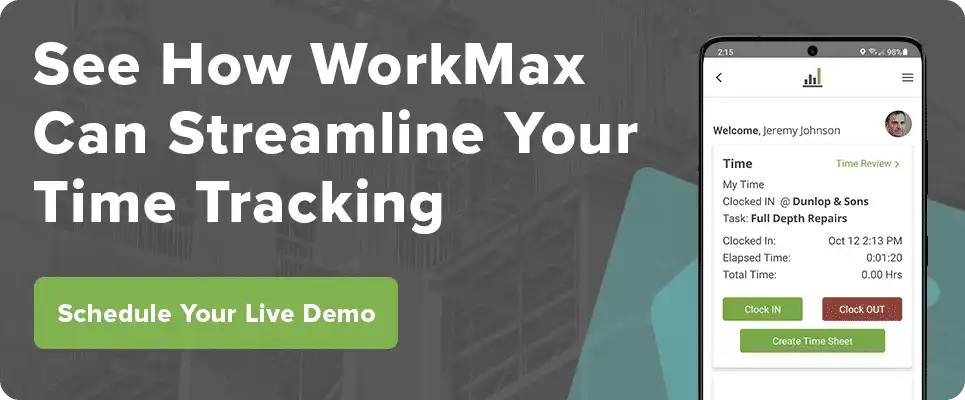
WorkMax TIME is the strongest pick for construction companies that need clock-in verification and deep accounting integrations – GPS, patented facial recognition, and offline sync cover the field, while 100+ system connections eliminate double data entry in the office. However, setup complexity varies by integration and every worker needs a smartphone.
Who it’s good for:
- Commercial builders running multiple crews
- Specialty contractors with complicated labor needs
- General contractors tracking time across different sites
- Any size construction company from small to large
Rating: ★★★★★ 4.8/5
(Based on 250+ reviews)
Tagline: America’s Leading Mobile Time Tracking App
Key features:
- GPS tracking that stamps every clock in with the exact location
- Facial recognition (U.S. Patent No. 10,872,317) so nobody can clock in for their buddy
- Works offline and syncs up when you get signal back
- Spanish language option for your whole crew
- Mobile signatures for approving timecards
- Real-time labor costs by project
- Equipment and asset tracking
- Automatic break time tracking for compliance
- Integrates with 100+ payroll and accounting systems, including FOUNDATION®, Payroll4Construction, QuickBooks, Sage, and Acumatica
- Custom reports and dashboards
WorkMax TIME is built specifically for construction companies. The platform pairs GPS verification with facial recognition to help identify location discrepancies and reduce buddy punching. Companies using WorkMax report significant savings in their first year through reduced time theft and improved labor efficiency.
WorkMax solves the offline jobsite problem by storing clock-ins locally on the device so they can sync after a worker regains signal, even if your crew is working in a basement with no signal. Back-office syncing works the same way: it eliminates double data entry by connecting directly to 100+ payroll and accounting systems.
Strengths:
- GPS and geofencing that actually work (not just marketing talk)
- Offline mode that actually functions on real jobsites
- Integrates directly with construction accounting systems
- Works in English and Spanish for your crews
- Strong compliance features so you don’t get fined
- Customers report real savings you can measure
Considerations:
- Setup time varies by integration complexity (some take a day, others take longer)
- Every worker needs access to a smartphone or tablet
Real-world impact: Redden Concrete Inc., a 325-employee concrete contractor in Melissa, TX, was overpaying crews due to rounded and estimated hours entered by superintendents. After switching to WorkMax TIME’s GPS, geofencing, and facial recognition clock-ins, the company saved $729,000 in labor costs in its first year. “The time clock system holds everyone accountable for their exact time. The facial recognition keeps them honest,” said Brooke Redden, Vice President.
#2 Workyard
Workyard is the best fit for contractors who want to rely on GPS automation – it clocks workers in and out automatically based on geofence triggers and trims hours to where they actually were, cutting manual entry without requiring anyone to touch the app.
Who it’s good for:
- Construction companies with crews spread across town
- Contractors who care about GPS tracking and mileage
- Businesses that want automated scheduling
Rating: ★★★★☆ 4.7/5
(Based on 300+ reviews)
Tagline: Built by a Contractor, for Contractors
Key features:
- Highly accurate GPS with route mapping
- Automatic clock-in at geofenced jobsites
- Trims time to last location visited
- Tracks mileage for taxes
- Works with Foundation Software, Sage and ComputerEase
Workyard automatically clocks your workers in when they arrive at the geofenced jobsite and trims their hours to the last place they actually visited. You can see where your crews are right now without calling them.
Strengths:
- GPS and geofencing are accurate
- Saves you time by automating clock ins
- Good route mapping for mileage
- Connects with the accounting software you probably use
Considerations:
- Monthly fee is higher than some competitors
- Doesn’t have as much facial recognition
- May have more features than what smaller contractors need
#3 ClockShark
ClockShark is the right call for foreman-led crews where one person manages clock-ins for a whole team. It’s priced lower than most competitors and easy for field workers to pick up, but contractors who need robust offline mode or construction-specific accounting integrations may hit its limits fast.
Who it’s good for:
- Field service and construction teams
- Companies where foremen manage multiple workers
- Contractors who want different ways to clock in
Rating: ★★★★☆ 4.6/5
(Based on 400+ reviews)
Tagline: Time Tracking Built for the Field
Key features:
- GPS tracking and facial recognition
- CrewClock lets supervisors clock in whole crews at once
- Drag-and-drop scheduling
- Spanish language support
- Works with Gusto, QuickBooks and ADP
ClockShark is used by field service and construction teams. The CrewClock feature lets one foreman clock everyone in at once instead of waiting for each person individually. The app can ask workers questions when they clock out to capture job details without separate reports.
Strengths:
- Easy for field workers to figure out
- CrewClock makes crew management simple
- Priced pretty reasonably
- Facial recognition works well
Considerations:
- Doesn’t have built-in payroll
- Offline mode is limited
- Not many construction-specific features
#4 QuickBooks Time (formerly TSheets)
QuickBooks Time makes sense for small to mid-size contractors already running QuickBooks – the native integration means time data flows straight into your books with no manual entry and no third-party connector to manage. It’s simple, competitively priced, and easy to learn, but lacks strong GPS verification, offline mode, or construction-specific cost code.
Who it’s good for:
- Construction businesses already using QuickBooks
- Small to medium contractors
- Companies wanting something simple
Rating: ★★★★☆ 4.5/5
(Based on 350+ reviews)
Tagline: Time Tracking That Works With QuickBooks
Key features:
- One-click time tracking
- GPS location stamps and geofencing
- Track time by project and task
- Built-in QuickBooks connection
- Works on mobile and desktop
QuickBooks® Time is a solid option if you’re already using QuickBooks for your books. The connection is built right in, so time data flows directly into QuickBooks Online or Desktop with no manual entry.
Strengths:
- Works seamlessly with QuickBooks
- Simple interface that’s easy to learn
- Decent customer support
- Competitive pricing
Considerations:
- Not a lot of construction-specific features
- GPS tracking isn’t as robust as specialized tools
- Reports are relatively basic compared to construction-focused platforms
#5 ExakTime
ExakTime suits large contractors with multilingual crews and complex equipment tracking needs, offering native three-language support, biometric verification, and cost code tracking in a construction-only platform. However, it’s a higher price and experiences recurring user complaints about GPS accuracy and customer support.
Who it’s good for:
- Large construction companies with complex operations
- Contractors who need biometric verification
- Businesses with multilingual crews
Rating: ★★★★☆ 4.3/5
(Based on 200+ reviews)
Tagline: Construction Time Tracking Since 1999
Key features:
- Biometric verification
- Native support for English, Spanish and French
- Equipment usage tracking
- Cost code tracking
- Works with Procore, Sage and QuickBooks
ExakTime has been around since 1999 and focuses only on construction time tracking. The app has native language support, and you can track equipment usage to help with maintenance scheduling and cost allocation.
Strengths:
- Real multilingual support
- Focuses only on construction
- Equipment tracking capabilities
- Connects with major construction accounting systems
Considerations:
- Costs more than competitors
- Some users say GPS tracking isn’t always accurate
- Customer support gets complaints in reviews
Critical Factors to Evaluate
Total Cost of Ownership
Monthly subscription fees are just the starting point. Factor in implementation costs, training expenses and hardware costs if you need dedicated devices.
Some vendors charge per user, while others use tiered pricing based on features. Understand the pricing structure before you commit.
Implementation and Training
Software that your team won’t use is worthless. The setup process should be straightforward with onboarding support.
Your field workers need to learn the basics (clock in, switch jobs, add notes), while office staff need deeper knowledge of reporting and integrations. Training materials should match your crew’s language preferences — video tutorials work better than written manuals for most construction workers.
Integration Capabilities
Your time tracking software should connect with your accounting system, payroll provider and project management tools.
Construction-specific integrations with FOUNDATION, Sage, Jonas, QuickBooks, Acumatica and other systems are crucial because they handle cost codes, union rules and certified payroll correctly. Test integrations during your trial period — don’t assume they’ll work until you’ve verified the data flow.
Customer Support Quality
Construction doesn’t stop for technical problems. Check what support channels are available and verify support hours if you process payroll on weekends or run night shifts. Read reviews about support quality and look for vendors with construction industry experience on their support teams.
Choose the Best Construction Time Tracking Software for You
Digital workforce tracking solves your biggest payroll headaches. GPS verification and facial recognition reduce time theft, automated timesheets eliminate the weekly scramble for paper records and direct connections to payroll systems cut processing time by hours every week.
Your crews work hard every day and deserve accurate pay for every hour worked. Your business deserves to keep more of what it earns by cutting waste and improving efficiency. The best construction time tracking software makes both goals happen.
Ready to see how much time and money you could save?
Book a demo with WorkMax to learn how industry-leading workforce management can transform your operations.