

Our users reported over 96% customer satisfaction for the last 10 years. Schedule a personal tour of our software to see how we can improve your business’s productivity.
Table of Contents
Share Article
Let’s talk about Mike, because his story is the best way to explain Davis-Bacon Act compliance.
Mike is a construction worker employed by a contractor on a Davis-Bacon-covered federal project. This past Tuesday, he spent his morning framing walls as a carpenter and his afternoon operating a skid steer to move materials for the site’s grading crew.
Two different jobs, two different pay rates. That one detail is the whole story behind why so many contractors find this law tricky to navigate.
The good news: once you know where the tricky parts live — wage classifications, time tracking, certified payroll and audit readiness — compliance becomes just another part of running a smooth job, not the last-minute Friday-afternoon scramble it can turn into without a system.
That’s what this guide walks through.
Key Takeaways
- Davis-Bacon requires prevailing wages on DBRA-covered contracts over $2,000 — it doesn’t apply to general private-sector wages
- Pay rates change based on the task a worker is doing, not just their job title, so one worker can earn two different rates in the same day
- Contractors and subcontractors must submit certified payroll information weekly for each week covered work is performed
- Catching every rate change, not just splitting hours, is the detail that keeps your certified payroll numbers right
- Tracking time and task together, right when the work happens, is what keeps your paperwork accurate and your crew paid correctly
When Davis-Bacon Applies
Davis-Bacon requirements apply to laborers and mechanics working on federal DBRA-covered contracts over $2,000. It sets prevailing wage floors for those specific covered contracts.
The Davis-Bacon Act isn’t a general wage law, and jobs that aren’t tied to a covered federal contract aren’t subject to it.
That distinction matters because it changes what you owe your crew, and what you have to document, only for hours worked on the covered job. A contractor running a mix of federal and private work has to be able to say, for every hour, which side of that line it falls on.
Mike spends his day performing covered work on the site of a Davis-Bacon project, so the hours in our example are subject to the applicable prevailing wage requirements. That’s the frame for everything else in this guide.
How Prevailing Wage Rates Work
Davis-Bacon wage determinations assign prevailing wage rates and fringe benefits to specific labor classifications.
The prevailing wage for each classification consists of a basic hourly rate plus any applicable fringe benefits listed in the contract’s wage determination.
Back to Mike.
Framing walls and operating heavy equipment aren’t the same job, even though the same guy is doing both.
The applicable Davis-Bacon wage determination lists labor classifications, basic hourly rates and fringe benefits for the type of construction and geographic area covered by the contract.
Framing might pay Mike $24 an hour. Operating equipment, a different classification entirely, might pay $32. These numbers are illustrative only — actual rates are set per county and trade by DOL wage determinations.
Davis-Bacon exists so laborers on federal projects get paid fairly for the work they’re doing, instead of a single rate being applied to every task, regardless of the skill each one takes.
Multiply that by every worker on your crew, and a single day on a federal job can generate a lot more wage detail to track than a job without prevailing wage requirements.
That comes up most often at multi-trade contractors, or with crews whose workers split a single day across more than one task.
Turning Mike’s Day Into a Certified Payroll Report
Every week you have crews working a covered contract, you owe the contracting agency a certified payroll report.
Certified payroll must be submitted within seven days after the regular payment date for the payroll period. And it has to break down, for every worker who worked on the covered contract that week, exactly what they did and what they earned doing it.
What Goes on Form WH-347
Most agencies use a form called WH-347 for this. On it, you’ll list:
- Each worker’s name and an identifying number
- Their work classification for each task performed
- Hours worked per day, split between straight time and overtime
- The pay rate and fringe-benefit information for each classification
- Gross wages and deductions
- A signed Statement of Compliance certifying the payroll information
If Mike’s framing and equipment-operating hours aren’t accurately separated by classification, the contractor can’t simply estimate the split later. Without an accurate breakdown, Mike must be paid the highest applicable prevailing wage rate for all of those hours.
Tracking Time by Work Classification

Davis-Bacon time tracking requires contractors to accurately record the hours workers spend in each labor classification.
For contractors, task-level field tracking can provide the detail needed to separate those hours as workers change work throughout the day.
The rest of this guide focuses on what to look for in time tracking software to get task-level compliance right. (We’ll get into how purpose-built software like WorkMax puts these into practice in a moment.)
Why End-of-Day Time Tracking Falls Short
End-of-day time tracking can make it harder to accurately separate hours when workers perform multiple classifications during a shift.
A paper timecard, or a single daily time entry, can tell you Mike worked eight hours. It struggles to show when he stopped framing and started running equipment — and that boundary is exactly what determines how much of his day gets paid at which rate.
What Good Task-Level Tracking Looks Like
A few practices define clean, reliable task-level tracking:
- Workers clock in and out by task, not just by shift, so a task switch creates its own timestamped record instead of a mental note
- Time entries happen from the field, at the moment of the switch, rather than from a trailer or office at the end of the day
- Each task is tied to its wage classification and job (federal vs. private) at the point of entry, so classification stays accurate from the start
- Entries sync to payroll and accounting automatically, keeping the record consistent from the field to the final report
None of this requires overhauling how your crews work — it’s a shift in when the data gets captured, from end-of-day recall to the moment the task actually changes.
How WorkMax Puts These Principles to Work for Mike’s Day
WorkMax is a mobile time tracking app built for construction crews, and its whole job is making sure what happens in the field is documented correctly.
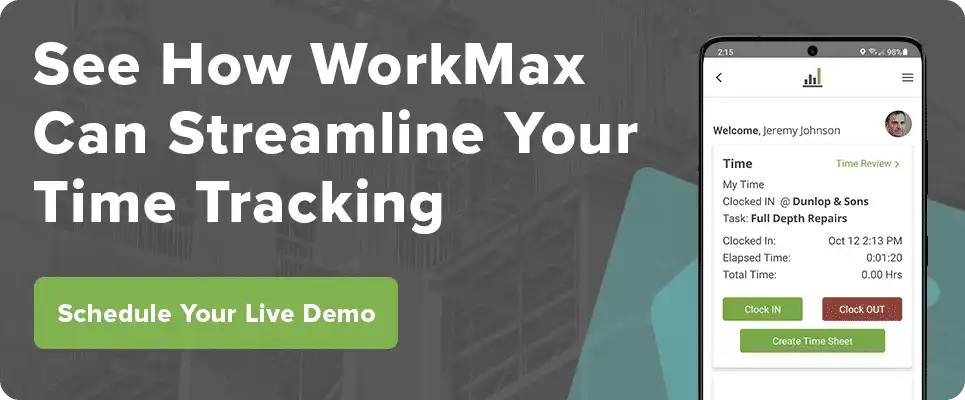
Instead of one punch for the whole day, workers clock in and out by task, right from their phone.
This way, when Mike switches from framing to running equipment after lunch, he logs that switch in the app the moment it happens, instead of leaving it to get rebuilt from memory hours later.
The data produced by the WorkMax app is easily uploaded into your accounting and payroll system, so nobody in the office has to re-type a single hour.
The classification, the time and the rate are already tied together correctly, which means weekly filing takes far less manual work, instead of eating up your Friday afternoon.
WorkMax can also be configured to flag which hours were worked on the covered contract, so your certified payroll hours are already sorted out from the rest of the timesheet before anyone in the office opens the report.
Staying Ready for a Department of Labor Audit
Accurate, timestamped time records give contractors documentation they can review if their Davis-Bacon payroll records are audited.
Reporting accurately every week is one thing. Proving it months later is another.
If a Department of Labor investigator asks to review your records, you don’t have to dig through a filing cabinet or piece together a Tuesday from last spring.
With WorkMax, time entries, task activity and approval records are digitally recorded and timestamped, giving contractors a traceable history they can review when documentation is requested.
Talk to an Expert About Davis-Bacon Compliance
Getting Davis-Bacon right comes down to one idea: pay people for the federal work they’re doing, task by task, and keep a record that proves it.
That holds true whether you’ve got one crew or ten.
WorkMax handles that by capturing time and task data right at the source, in the field, the moment work happens. This way, your certified payroll records are built on information you can trust, not reconstructed after the fact.
If you want to see how it would work on your jobs, book a demo and talk with an expert about streamlining your compliance process today.