

Our users reported over 96% customer satisfaction for the last 10 years. Schedule a personal tour of our software to see how we can improve your business’s productivity.
Table of Contents
Share Article
Most construction crews run on hourly pay. And most of the dollars made or lost on a job come down to how those hours get tracked.
GPS time tracking for construction uses location data from workers’ mobile devices to verify where time entries are recorded. The old way, a paper timesheet and an honor system, leaves too much room for guesswork. A GPS time record can connect the worker, timestamp, location, job and cost code in a single digital entry.
Picture a framing crew working two sites in the same week. The foreman jots down hours at the end of each day based on memory. By Friday, small gaps between paper and reality can add up.
That mismatch means the office gets a stack of paper to untangle, and payroll takes twice as long to sort out. Sometimes it also means cutting a backpay check — extra pay to cover hours that got missed or miscounted the first time — to make things right once the numbers get sorted out.
GPS time tracking closes that gap. Software like WorkMax® turns each phone on the jobsite into a tool that records exact hours, locations and cost codes the moment work happens.
No memory needed. No guesswork. Just accurate numbers so payroll runs smoothly, job costs stay on budget and crews get paid for the hours they put in.
Key Takeaways
- Paper timesheets create rounded hours, buddy punching (clocking in for a coworker who isn’t there yet) and payroll delays that cost money
- GPS time tracking uses location stamps and geofencing to verify where workers record their time
- The technology tackles five common problems: time theft, job costing, slow payroll, safety documentation and multi-site visibility
- Worker privacy, battery life and data use are real concerns, and well-built software is designed with these in mind
- Picking the right tool comes down to offline support, payroll integration and ease of use in the field
What Is GPS Time Tracking in Construction?
GPS time tracking software for construction uses a worker’s phone to confirm where they stand the moment they clock in, clock out or switch tasks. Instead of relying on handwritten notes and a bit of guessing, the app records a verified time and location for each entry.
Think of a delivery app that shows exactly where a package got dropped off.
A construction time tracking app works the same way. It shows exactly where and when a worker clocked in, and that kind of proof changes how contractors manage payroll and job costs.
The Difference Between Basic Mobile Clock-Ins and GPS-Verified Time
Basic mobile clock-ins record when a worker punches in, while GPS-verified time tracking also records where that punch happens.
Plenty of apps let workers punch in from a phone, but that is not the same as GPS time tracking. A basic clock-in app just logs a timestamp. The app does not confirm where the worker stood when they tapped the button.
GPS-verified time tracking fills that gap.
The software captures the worker’s exact location the moment they clock in or out, so the record shows they were on-site and not somewhere else. That one detail turns a simple digital timesheet into a system contractors can trust.
How Geofencing, GPS Stamps and Breadcrumb Tracking Work Together
Confirming that a worker is where they say they are takes more than a single check-in. Three features do most of the work, and they work best as a set.
- Geofencing draws a virtual line around the jobsite. It doesn’t block a clock-in from outside that line — instead, it flags the record so it can be reviewed later
- GPS stamps capture exact coordinates the second someone clocks in, clocks out or switches cost codes
- Breadcrumb tracking logs location at set times through the shift, which helps with crews moving between tasks or sites
Together, these three pieces build a clear picture of where labor hours went during the day, not just where someone said they went.
5 Ways GPS Time Tracking Improves Construction Labor Management
GPS time tracking helps contractors solve labor-management problems by creating more reliable records of when and where work happens.
In a recent Deloitte study revealed that over 80% of construction projects suffer from cost overruns, largely driven by labor tracking inaccuracies.
1. It Helps Prevent Time Theft and Buddy Punching
Buddy punching happens when one worker clocks in for another who has not shown up yet. An early clock-in from home adds a few minutes that pile up into hours over a pay period.
Industry research shows that time theft costs contractors an average of $1,560 per employee every year in unearned wages. Geofencing stops both problems at once. If a worker clocks in outside the jobsite boundary, the record can be marked for review.
Say a worker on an electrical crew clocks in from the truck a few minutes before actually stepping onto the site. It is an easy habit to fall into, but those extra minutes can add up to a full day of pay over a month.
Geofencing closes that gap automatically, and some apps add facial recognition on top to confirm the right person is the one clocking in, so everyone can trust the record without a second thought.
2. It Improves Job Costing and Cost Code Tracking
GPS time tracking improves job costing by connecting labor hours to the jobs and cost codes where the work happens.
Guessing how many hours went to framing versus electrical at the end of the week leaves too much room for error, and too much margin on the table. A report by FMI found that poor job-site data and inaccurate manual tracking cost contractors up to 31% of their expected project margins.
With GPS time tracking, the numbers show up as the work happens.
Workers switch cost codes right on their phone, and the app timestamps and locates each switch. Project margins end up based on real numbers instead of a rough guess made after the job wraps.
On a remodel with three trades on-site, this kind of tracking shows exactly how many hours went to drywall versus plumbing versus electrical. Real-time progress and budget tracking lets a contractor catch a cost overrun while the job is still running instead of finding it on the final invoice.
3. It Speeds up Payroll and Connects to Accounting Software
GPS time tracking can speed up payroll by moving field hours into payroll and accounting systems without manual re-entry. Typing field hours into an accounting system by hand takes time and invites mistakes. GPS time tracking apps sync directly with construction ERPs like FOUNDATION®, Sage and QuickBooks®.
Some time tracking software platforms integrate with over 100 accounting, payroll and ERPs, so hours flow from the field to payroll without anyone retyping a single number.
Archer Mechanical saw what better field time data can do after moving its crews to WorkMax TIME. Employees entered their own time in real time, and those labor hours synced with A-Systems JobView. Using WorkMax TIME’s real-time tracking and facial recognition, the contractor reported $141,440 in annual field labor cost savings. Payroll processing also dropped from two days to four hours — a 75% reduction — and the company said its more accurate labor data helped improve future bids.
4. It Backs Up Safety Records and Protects Against Liability
When an accident happens on-site, knowing exactly who was there and when matters. GPS time tracking builds a digital record that holds up.
The software also documents worker sign-offs, which helps if a labor dispute or false claim comes up later. Some apps handle this with built-in safety forms and mobile signatures at the end of each shift, all stored and easy to pull up when a contractor needs it fast.
5. It Gives Visibility Across Multiple Sites and Crews
When crews and equipment spread across several jobsites, GPS tracking shows where everyone and everything sits at any point in the day. That visibility helps supervisors and project managers move labor and equipment to where the work needs it, without waiting on a phone call from the field.
Equipment tracking that links usage directly to the right job and crew helps a contractor catch an idle crew or an idle piece of equipment in real-time and shift resources where they are needed.
Paper Timesheets vs. GPS Time Tracking: A Side-by-Side Look
The gap between paper and GPS tracking becomes clear once the two sit side by side.
| Category | Paper Timesheets | GPS Time Tracking |
| Accuracy | Estimated and rounded hours | Precise, real-time timestamps |
| Payroll Lag | Days spent chasing signatures | Automatic syncing to payroll, with digital sign-offs built in |
| Job Costing | Guesswork after the project ends | Real-time project margin tracking |
| Compliance and Audits | Paper trails that get lost or damaged | Secure digital audit logs |
This table shows why so many contractors are setting the clipboard aside. Paper cannot compete with software that verifies data the moment it is created and keeps a timestamped audit log — a running record of every entry — ready in case anyone needs to check it later.
Overcoming GPS Time Tracking Implementation Challenges
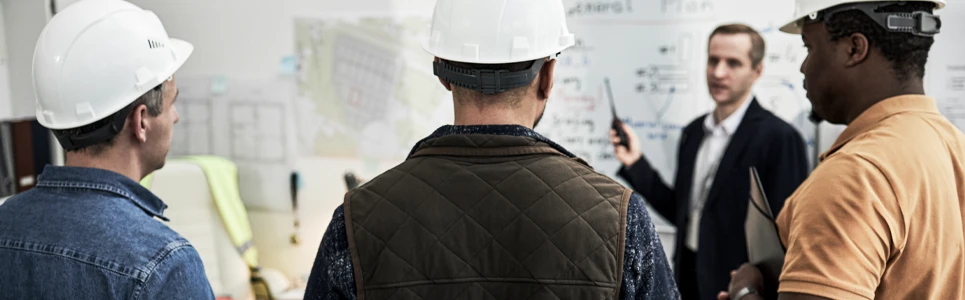
GPS time tracking works best when contractors address field concerns before rollout.
Workers have real concerns, and addressing them upfront builds trust in the new system fast.
Addressing Employee Privacy Concerns
The biggest worry workers raise is being tracked around the clock. Reputable construction time tracking apps record location only while someone is clocked in.
The moment a worker clocks out or starts a break, tracking stops completely. Walking a crew through how their specific app handles this before rollout goes a long way toward building trust.
Managing Battery Life and Mobile Data Usage
Nobody wants an app that drains a phone by lunchtime. GPS time tracking uses battery and mobile data, but well-built construction apps are designed to use both efficiently.
Many apps also offer offline access that stores data on the device and syncs it with the accounting system as soon as a connection comes back. A dead zone on a jobsite does not break the record.
Driving Field Crew Adoption and Ease of Use
GPS time tracking works best when crews can use it quickly and consistently throughout the workday. Look for simple entry methods — like PIN-based clock-ins — and language support for crews who speak different languages on-site.
The simpler the process, the faster a team gets comfortable with it. Simple design details like PIN entry and language support keep crews on board from day one.
How to Choose the Right GPS Time Tracking Solution for a Construction Business
The right GPS time tracking solution should match how construction crews work in the field and how the office processes their data.
Not every app on the market fits construction work, so the evaluation matters.
- Look for offline capability so a jobsite without signal does not break data collection
- Check for direct integrations with the construction ERPs and payroll systems already in use
- Confirm the geofence settings are flexible enough to handle irregular jobsite shapes
- Ask how easy the app is for crews to use day to day — look for simple entry methods like PIN-based clock-ins, language support for the crew and clear guided prompts in the app
That last one is especially important since a complicated system tends to slow a crew down even when the data behind it looks good on paper
Getting these basics right up front saves the trouble of switching software again in a year because the first pick could not keep up with how crews work in the field.
Ready to Ditch the Paper Timesheets?
Paper timesheets cost accuracy, time and money every pay period. GPS-based tracking fixes that by confirming exactly where and when a crew works. This can cut down on time theft, speed up payroll and give contractors real numbers for job costing.
WorkMax builds this kind of tracking specifically for construction crews, with:
- GPS and geofencing accuracy
- Offline support
- Direct payroll integrations that fit how contractors run their days
Backed by Foundation Software, a longtime name in construction software, WorkMax solves the exact headaches paper timesheets create without adding extra work for office staff.
To see how WorkMax fits a crew’s day-to-day, book a demo and talk with someone who knows construction payroll from the ground up.
Frequently Asked Questions About WorkMax’s GPS Features
Does WorkMax Use Geofencing and Facial Recognition to Stop Buddy Punching?
Yes. WorkMax’s geofencing flags clock-ins that are outside the jobsite boundary. This feature helps supervisors identify questionable off-site punches before they reach payroll.
On top of that, WorkMax uses patented facial recognition to confirm the person clocking in matches the account, so every clock-in is recorded accurately and fairly for the person who worked it.
Can WorkMax Track Job Costs by Cost Code in Real-Time?
Yes. Workers switch cost codes right on their phone. WorkMax timestamps and locates each switch as it happens.
That real-time data feeds into project progress and budget tracking, so a contractor can spot a cost overrun while the job is still running instead of after the final invoice.
Does WorkMax Integrate With Accounting and Payroll Software Like FOUNDATION, Sage or QuickBooks?
Yes. WorkMax connects directly with more than 100 accounting, payroll and ERP systems.
These platforms include: FOUNDATION, Sage and QuickBooks, so field hours flow straight into payroll without anyone retyping a number by hand.
Does WorkMax Work on Jobsites Without Cell Service?
Yes. WorkMax includes offline access that stores clock-in data on the device when there is no signal. Then it syncs everything to the accounting system as soon as the connection comes back. A dead zone on a jobsite will not cause missing hours.
Does WorkMax Track Workers Outside of Clocked-In Hours?
No. WorkMax ties its location features to labor-hour tracking, meaning GPS data gets collected around clocking in, clocking out and switching tasks, not tracked throughout the rest of a worker’s day.
Is WorkMax Easy to Use for Crews Who Speak Different Languages?
Yes. WorkMax offers Spanish-language capability for mixed-language crews. It also offers PIN entry and mobile signatures that keep clock-ins and sign-offs simple for everyone on-site.