

Our users reported over 96% customer satisfaction for the last 10 years. Schedule a personal tour of our software to see how we can improve your business’s productivity.
Table of Contents
Share Article
Labor is the largest controllable cost on most construction projects — and the one most likely to drift from budget without anyone noticing until closeout.
In fact, labor costs are the top expense for construction firms, often accounting for 30% to 50% of total project costs and making up an average of 35% of revenue, according to a study from the Construction Financial Management Association (CFMA).
Materials get priced, ordered and invoiced with a clear paper trail. Labor is messier — hours get logged on paper, rounded up “close enough,” or reconstructed from memory at the end of the week.
And every one of those small inaccuracies adds up to a bigger gap between what was budgeted and what actually got spent.
A digital time tracking app turns labor from a cost you reconcile after the fact into one you manage while the job is running.
Key Takeaways
- Construction labor cost tracking compares actual hours against budgeted hours by job and cost code, making varicance visible while the projet is still running
- Digital time tracking records hours as they’re worked, removing rounding, estimating and end-of-week recall that paper timesheets lead to
- Real-time labor data exposes overruns mid-project, while crews, schedule and change orders can still be addressed
- A single record of labor hours feeds both payroll and job costing, eliminating duplicate entry and reconciliation
- Labor accounts for 30% to 50% of total construction project costs, making it the largest controllable variable in a project budget
Why Labor is the Hardest Cost to Control
Labor is the hardest construction cost to control because hours are self-reported and often reconstructed after the fact, while materials generate an invoice at the point of purchase.
Rounding a shift up by 15 minutes doesn’t feel significant in the moment. Neither does forgetting to log the two hours spent troubleshooting an equipment issue or estimating hours at the end of the week instead of recording them as they happen.
But multiply small inaccuracies like these across a crew, a week and a project, and labor costs start to drift away from what was actually budgeted — often without anyone noticing until the numbers are reviewed much later.
That’s the core problem a construction time tracking app solves. It replaces estimates and memory with an accurate, real-time record of labor hours.
The Connection Between Time Tracking and Job Costing
Time tracking feeds job costing by assigning every labor hour to a specific job, task or cost code. A project manager can see exactly where labor dollars are going, not just how many total hours were worked.
When time tracking is digital, accurate and detailed, job costing becomes much easier.
A project manager can look at a report mid-project and see that framing is running ahead of budget while finishing work is under and make informed decisions about crew allocation before the job closes out.

How Time Tracking Keeps Payroll and Accounting in Sync
Time tracking keeps payroll and accounting in sync by giving both systems the same record of labor hours at the same time. A miscounted hour doesn’t just skew a job cost report; it means an employee gets paid incorrectly, and someone has to catch and fix it after the fact.
When time tracking is manual, payroll and accounting end up working from two separate versions of the same data.
Hours get entered once for payroll, then re-entered or reconciled separately for the accounting system. Any gap between the two must be tracked down and corrected manually, often after payroll has already been run. A missed overtime hour or a shift logged under the wrong pay period becomes its own cleanup task.
A digital time tracking app removes that gap by giving payroll and accounting the same source of labor data at the same time.
There’s no second version to reconcile. The hours used to calculate pay are the same hours reflected in the job cost report, which means fewer payroll corrections and less time spent chasing down the discrepancies between the two systems.
Catching Overruns While There’s Still Time to Act
A labor overrun caught in week two of a project can be corrected by adjusting schedules, reassigning crews and having project scope conversations with the general contractor.
By the time a labor overrun surfaces at closeout, buried in paperwork, it’s too late to do anything but record it.
A digital time tracking app makes that early catch possible. Instead of waiting for a paper timesheet to be collected, manually entered and reconciled days or weeks later, office staff can see labor hours as they’re logged and compare them against the budget continuously throughout the project — not just at the end.
That shift, from reviewing labor hours after the fact to monitoring it as it happens, is what separates projects that stay on budget from ones that quietly drift off course.
Turning Time Data Into Better Budget Decisions
A digital time tracking app isn’t just about making payroll accurate — it’s about giving everyone managing a project, from the field to the office, a clear and current picture of where labor dollars are going.
That visibility is what turns a budget from a document created at bid time into something actively managed throughout the life of the project.
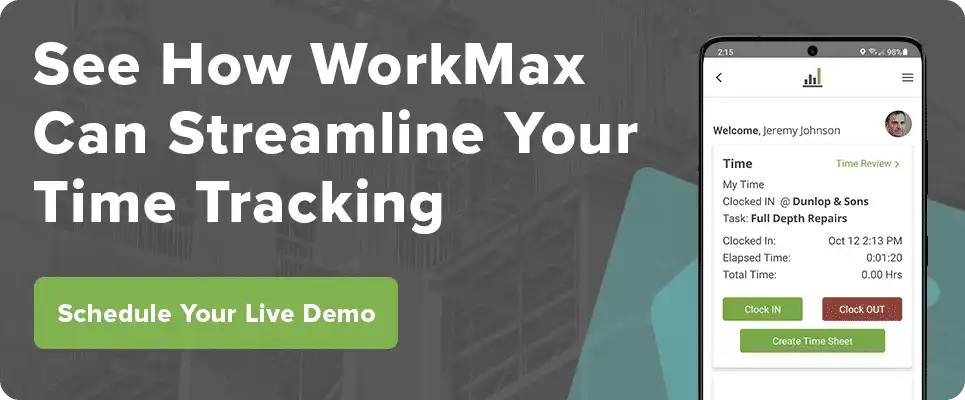
WorkMax® — a leading construction time tracking app — makes that easier by capturing time directly from the field in real-time, instantly tying labor to jobs and cost codes and giving office staff up-to-date visibility into hours as they’re logged — without the manual entry and paper timesheets that introduce so much of the error in the first place.
Speak with an expert today to learn more about what WorkMax can do for your labor tracking process.